
ADVERTISEMENT
ADVERTISEMENT
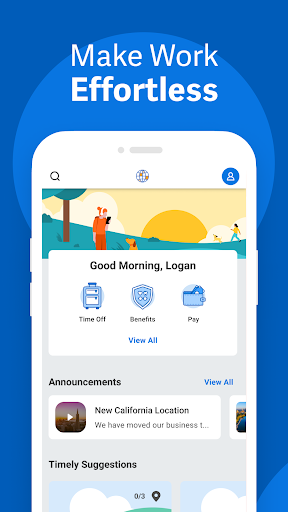
The Workday mobile app brings enterprise HR and workforce management into your pocket, with fast access to tasks, approvals, and insights.
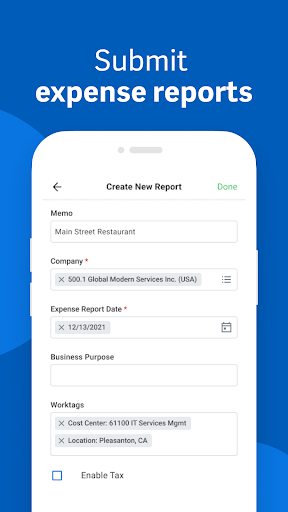
For finance teams and subscription-based operations, it supports timesheets and expense submission, helping keep payroll and reimbursements on track.
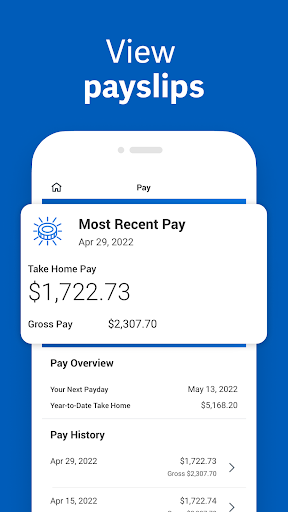
It also supports high-trust payments workflows by letting you view payslips and track key employment information without waiting for desktop access.
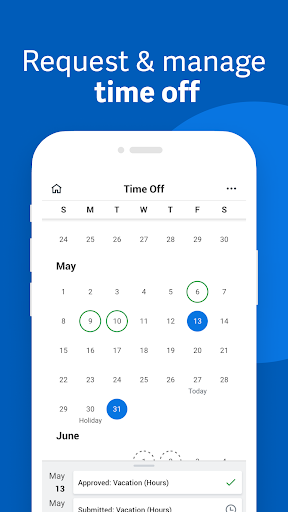
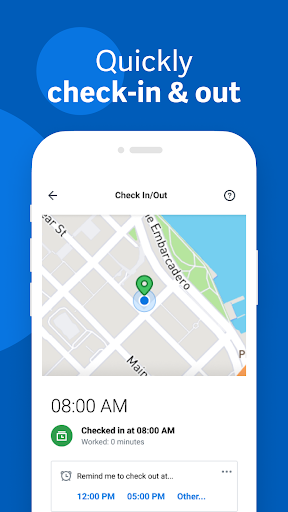
The experience is built around core workplace actions and daily productivity, so you can check in, request time off, and stay aligned with your team.
For compliance-heavy environments, reminders and streamlined approvals help you complete tasks reliably and reduce missed deadlines.
Top features include push notification reminders, timesheets and expenses, payslips, time-off requests, teammate learning, and check-in and out.
You can also watch training videos for skill development, and discover internal opportunities through gigs and jobs.
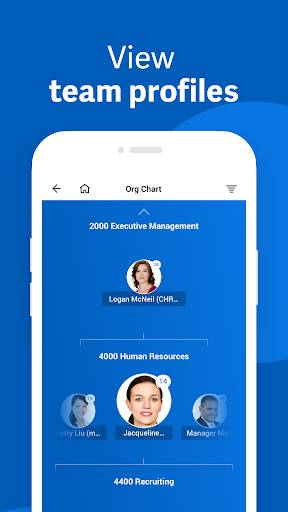
Managers get extra HR and employee management capabilities, including one-tap approvals, team and employee profiles, and role adjustments.
There are payroll and compensation change requests, performance reviews, interactive reports, dashboards, and an hours tracker for team visibility.
Users often praise Workday’s mobile convenience, especially for teams that rely on SaaS HR workflows and need updates without desk appointments.
Employee reviewers commonly mention the clarity of day-to-day tasks like time-off requests, check-in, and expense submission from anywhere.
Manager reviews highlight speed, since tap-to-approve and profile access reduce delays in HR and workforce decisions.
Several reviewers appreciate the notification reminders, which support subscription operations and recurring administrative tasks with fewer misses.
When it comes to security, many users feel reassured by biometric authentication and the cloud-first design that avoids storing sensitive data on the device.
Some reviewers wish for more visibility into reporting details on small screens, but they still find dashboards useful during busy days.
Overall sentiment tends to be positive for enterprise services customers who want reliable access to HR, payroll, and internal mobility tools.
In high-turnover organizations, the internal gigs and jobs discovery also gets positive comments because it keeps opportunities close to daily routines.
Recent updates focus on improving mobile-native workflows, making approvals and HR actions feel faster and more consistent across devices.
Teams also benefit from enhancements to notifications, helping ensure finance, HR, and operations users don’t miss payroll-adjacent deadlines.
Skill and training delivery has been refined too, so employees can find relevant training videos more easily while staying productive.
Manager tools have continued to evolve, with smoother access to hours tracking, interactive reports, and employee timesheets.
As enterprise systems modernize, Workday app updates aim to keep the experience aligned with cloud data being automatically current.
That approach is especially valuable for organizations running complex compensation changes and performance cycles across multiple teams.
To use the Workday mobile app, you need a compatible smartphone or tablet that supports the platform’s current operating system standards.
Because this is a cloud-connected enterprise solution, your device should also provide reliable network access for smooth task syncing.
For best results, users generally prefer devices with recent OS versions to ensure biometric authentication and notification permissions work properly.
If you manage time off and expenses frequently, stable performance helps you upload submissions and view payslips without delays.
Overall, the app is designed for everyday productivity on mobile, rather than for heavy desktop-style workflows.
Workday requires specific permissions to support security features like biometric authentication and to enable secure access to your account.
You may be prompted for notification permissions so the app can deliver reminders for tasks, approvals, timesheets, and request workflows.
Some device permissions support core functionality such as verifying device compatibility and ensuring the app can securely communicate with Workday services.
Because the app stores data in the cloud, permissions are typically focused on secure sign-in, reliable delivery of alerts, and smooth user experience.
If your role includes manager responsibilities like payroll and compensation changes, keeping notifications enabled can reduce turnaround time.
For compliance-minded teams, reviewing permission prompts helps confirm the app is operating with the right level of access.


Welcome to AppSparkle - your independent guide to discovering trending and popular apps. Our mission is to provide a user-friendly platform highlighting popular apps available on official stores.
At AppSparkle, we gather and present app information to help you explore options across Google Play and the Apple Store. Our descriptions are based on public sources and aim for accuracy, but we encourage verifying details directly on official store pages.
Important Notice:
AppSparkle is an independent third-party platform. We are not affiliated with, endorsed by, or officially connected to any app developers, brands, Google Play, Apple App Store, or their parent companies. All app names, logos, and trademarks belong to their respective owners.
We strive to make app discovery straightforward. Links provided will direct you to secure download pages on Google Play or the Apple App Store.


