
ADVERTISEMENT
ADVERTISEMENT
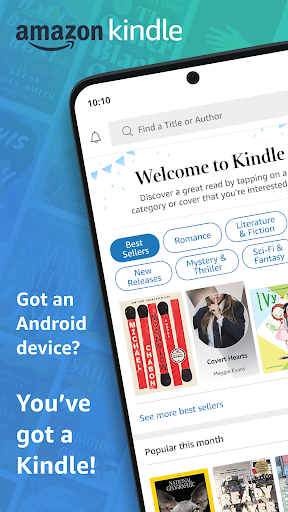
The Amazon Kindle App turns your phone or tablet into a reading companion for books, magazines, newspapers, comics, and manga. It is designed to help you start fast and read comfortably wherever you are.
With an Amazon Kindle free download option, you can install Amazon Kindle and immediately browse a massive catalog. You can sample titles in the app before you buy on Amazon.com.
Find your next great read by exploring new releases, Amazon Charts best sellers, and content across genres like romance, science fiction, children’s books, self-help, religion, and nonfiction.
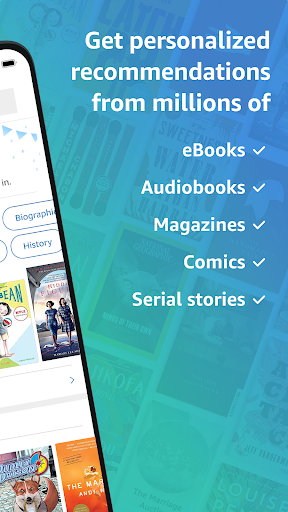
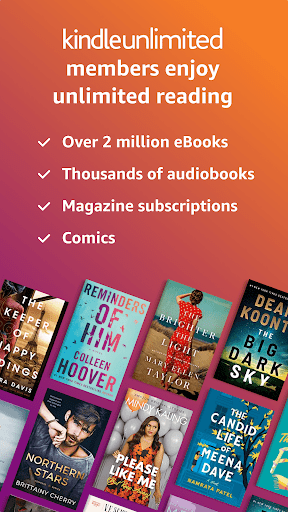
The Kindle Unlimited experience supports unlimited reading and listening. Members can explore over 1 million titles, thousands of audiobooks, and current magazines.
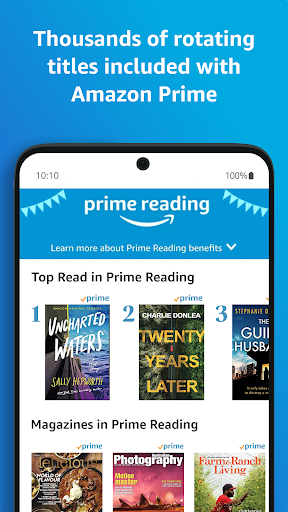
If you have Amazon Prime, thousands of books, magazines, comics, and more are included. That makes the Amazon Kindle App especially appealing for readers who want more variety.
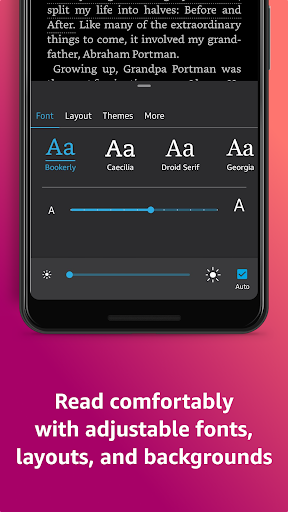
Beyond paper features also stand out, especially the flexible reading controls. Adjust text size, font type, margins, alignment, and orientation, plus brightness and background colors for day and night reading.
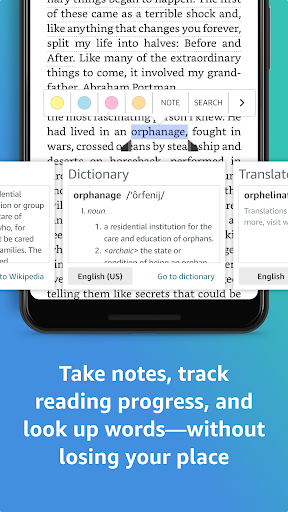
Word lookup is smooth while you read. The built-in dictionary, X-Ray, Wikipedia lookup, instant translations, and search within your book help you keep moving.
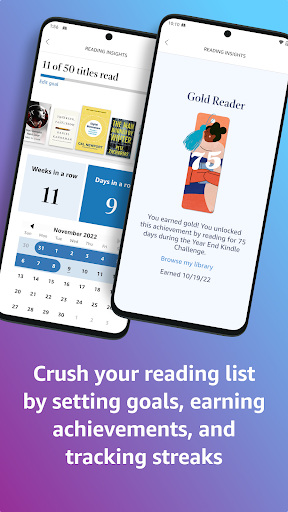
Reading progress tracking is also practical. You can see what percent of a book you have read, real page numbers for many titles, and an estimate of time left based on your pace.
Use bookmarks, highlights, and notes to revisit key passages. My Notebook gathers everything so your thoughts stay organized across sessions.
Page Flip makes it easy to hop, skim, and jump through chapters. It saves your place while helping you preview what’s ahead.
For visual content, HD color zoom supports images in Kindle books, magazines, comics, and manga. It makes details easier to appreciate without squinting.
Syncing across devices is a major advantage. When you pick up on a new screen, your reading spot and your bookmarks, highlights, and notes come with you automatically.
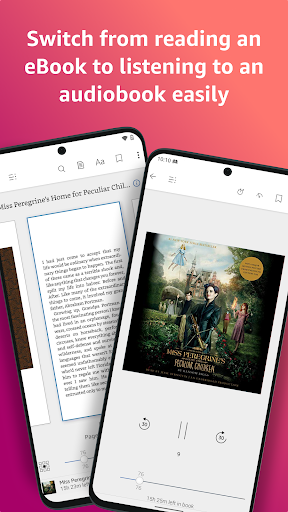
When you can’t read, switching to listening is seamless. You can move from your Kindle book to the Audible version inside the Amazon Kindle App without friction.
Finally, author notifications help you keep up with releases from writers you love. That means the Amazon Kindle App is not just for current reading, but also for discovery.
Many users value how quickly the Amazon Kindle App Download experience leads to real reading. People often mention that install Amazon Kindle on a phone or tablet and start exploring within minutes.
Reviewers frequently praise the library breadth and the way the app supports both reading and listening. They like that a free Amazon Kindle app can still feel full-featured right away.
Some readers say the best part is the customization. They enjoy changing fonts, margins, alignment, and brightness so the text suits their eyes, especially on long commutes.
Word lookup features are commonly highlighted in feedback. Users appreciate being able to tap and hold a word for definitions, then follow related links when they want more context.
Another frequent theme is convenience. People mention that bookmarks, highlights, and notes sync cleanly across devices, which helps them continue where they left off.
Users also discuss Page Flip and the ability to skim quickly. They like flipping between pages or using an overview view to find familiar sections without scrolling forever.
When it comes to audio, reviewers often note the smooth switch from reading to listening. The app’s support for Audible narration inside the same interface feels practical for busy schedules.
Some ratings comment on sample-first browsing. Readers say they like trying a title inside the Amazon Kindle App before committing after an Amazon Kindle App Download.
Overall, the sentiment tends to be positive among people who want a reliable, portable library. The Amazon Kindle free download and Amazon Kindle App Download options help users get started without pressure.
With each release, the Amazon Kindle App focuses on improving reading stability and overall navigation. For many users, the updates make the experience feel faster and more consistent.
Latest functions commonly emphasize better sync behavior across devices. That helps readers avoid losing their place after switching phones, tablets, or other supported screens.
Updates also tend to refine accessibility and reading comfort. Enhanced brightness controls, clearer text handling, and smoother interactions can make long reading sessions easier.
Some recent changes improve search, lookups, and in-book exploration. That makes it easier to find terms, characters, and references without leaving your flow.
Other improvements can enhance media handling for comics and manga. HD image zoom support and smoother rendering help keep visuals sharp in the Amazon Kindle App.
When users seek an Amazon Kindle App Download for a new device, they often report that recent updates make setup and syncing feel simpler. That keeps the app aligned with everyday reading habits.
For anyone considering Amazon Kindle free download, updates are important. They can bring better performance, polish the interface, and reduce friction after install Amazon Kindle.
To use the Amazon Kindle App, you typically need a modern smartphone or tablet that can run supported Android versions. Compatibility can vary by region and device model.
Most users install Amazon Kindle from their app store and then sign in or start browsing. After an Amazon Kindle App Download, you can read instantly with the sample options.
For the best experience, ensure your device has enough storage for books, magazines, and caches. Media like comics and manga may require more space for smooth viewing.
Good screen resolution helps with HD color images and zoom features. A device with a clear display makes reading and image detail feel more enjoyable.
If you plan to use listening, speakers or a headset are recommended. That way, Audible narration integration works well while commuting or relaxing.
Reliable internet access is helpful for downloads and syncing. Even when you read offline, initial setup and content retrieval often require a connection.
Some users begin with a free Amazon Kindle app experience. After Amazon Kindle free download, they test genres, then add more content as their library grows.
Permission requests in the Amazon Kindle App generally support reading, syncing, and device-friendly features. Exact permission names can differ depending on your phone settings and operating system.
Storage or media access permissions may be used to download books, magazines, and related assets. This helps ensure your content is available for reading when connectivity is limited.
Network permissions are commonly required for searching your library, streaming audio, and syncing progress. They also support word lookups and Wikipedia-style references.
For notifications, the app may request permission so it can alert you about author releases or reading-related updates. That is useful for staying on top of new content.
Camera access is sometimes requested in some setups for scanning or enhanced features. If you do not use those options, you may still be able to read without enabling every permission.
Location access is not typically necessary for core reading. Still, some devices may request it for specific local services, depending on how settings are configured.
Before you approve anything, review the permission screen after each Amazon Kindle App Download. Even if you choose a free Amazon Kindle app route, double-check permissions to match your comfort level.
In general, permission handling aims to make install Amazon Kindle smoother and keep your reading experience synchronized. Careful permission choices help maintain both usability and privacy.


Welcome to AppSparkle - your independent guide to discovering trending and popular apps. Our mission is to provide a user-friendly platform highlighting popular apps available on official stores.
At AppSparkle, we gather and present app information to help you explore options across Google Play and the Apple Store. Our descriptions are based on public sources and aim for accuracy, but we encourage verifying details directly on official store pages.
Important Notice:
AppSparkle is an independent third-party platform. We are not affiliated with, endorsed by, or officially connected to any app developers, brands, Google Play, Apple App Store, or their parent companies. All app names, logos, and trademarks belong to their respective owners.
We strive to make app discovery straightforward. Links provided will direct you to secure download pages on Google Play or the Apple App Store.


